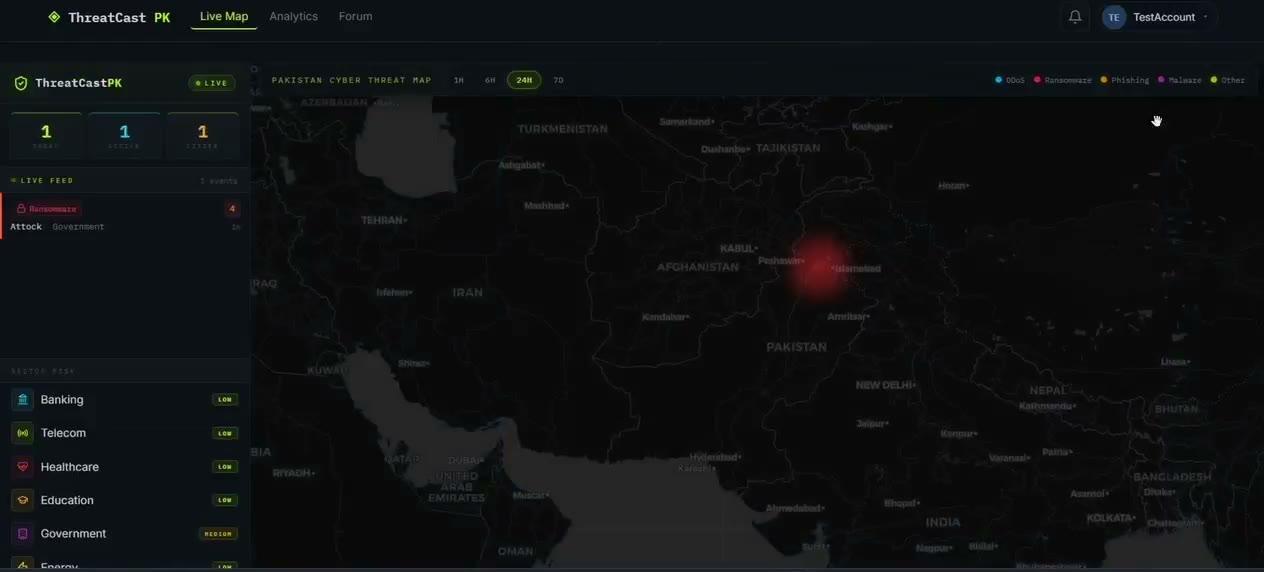
PROJECT_001 · Detection engineering · SOC automation
Wazuh × SOAR SSH brute-force detection & response
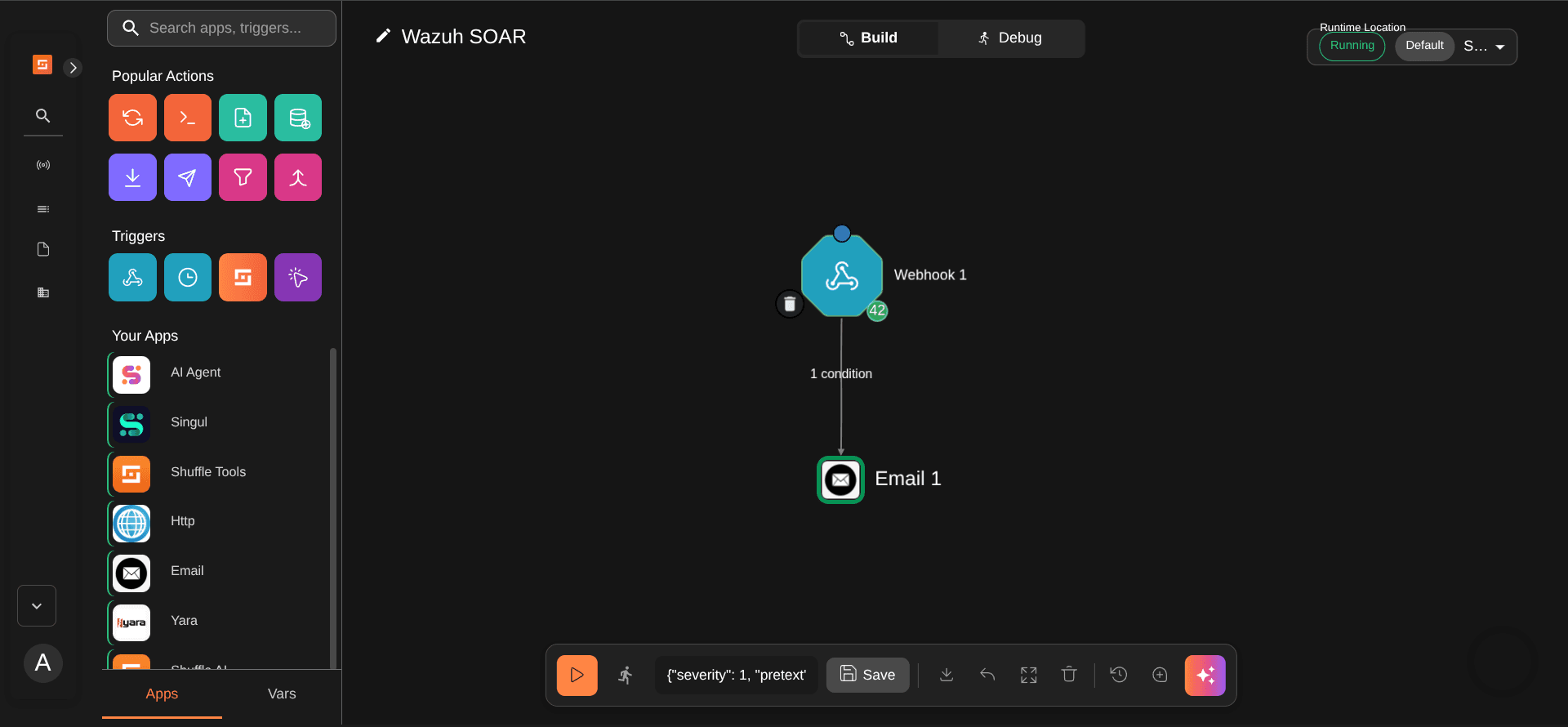
haadi@portfolio:~$ eog 05-complete-shuffle-workflow.png
haadi@portfolio:~$ cat project.yml
- technologies
- Wazuh 4.14.6, Shuffle SOAR, Azure VM, Docker, Gmail SMTP, MITRE ATT&CK
- role
- Solo: architecture, deployment, detection tuning, automation
- year
- 2026
- status
- Complete
How it wasbuilt
haadi@portfolio:~$ cat -n the-problem.txt
- A SIEM detects threats, but it doesn't act on them. Without automation, every alert waits for someone to be watching the dashboard, and at thousands of events a day, that doesn't scale.
- There's a gap on the other side too: behaviour Wazuh's default ruleset doesn't flag on its own, like an account being quietly added to the sudo group.
haadi@portfolio:~$ cat -n the-approach.txt
- I treated it as one pipeline with two ends. Detection engineering decides what gets flagged and how seriously; SOAR decides what happens next. A badly tuned rule level upstream breaks the automation downstream, so both had to be designed together.
- Forward Wazuh alerts to Shuffle over a webhook, as JSON.
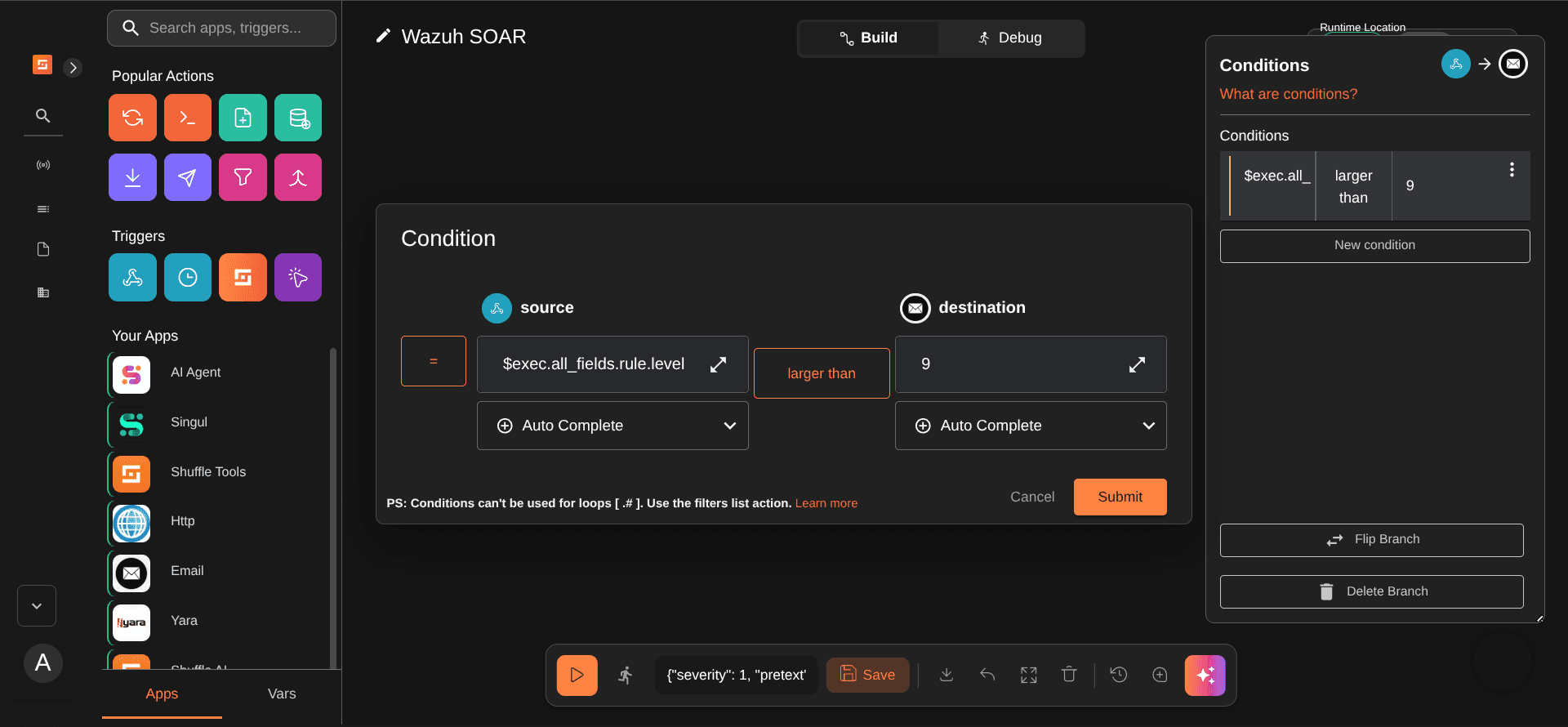
- Route by severity: only level 10+ reaches an analyst, so low-level noise never causes alert fatigue.
- Customise detection through local_rules.xml overrides: upgrade-safe, never editing Wazuh's core rules.
- Test every component in isolation before debugging the pipeline end to end.
haadi@portfolio:~$ cat -n implementation.txt
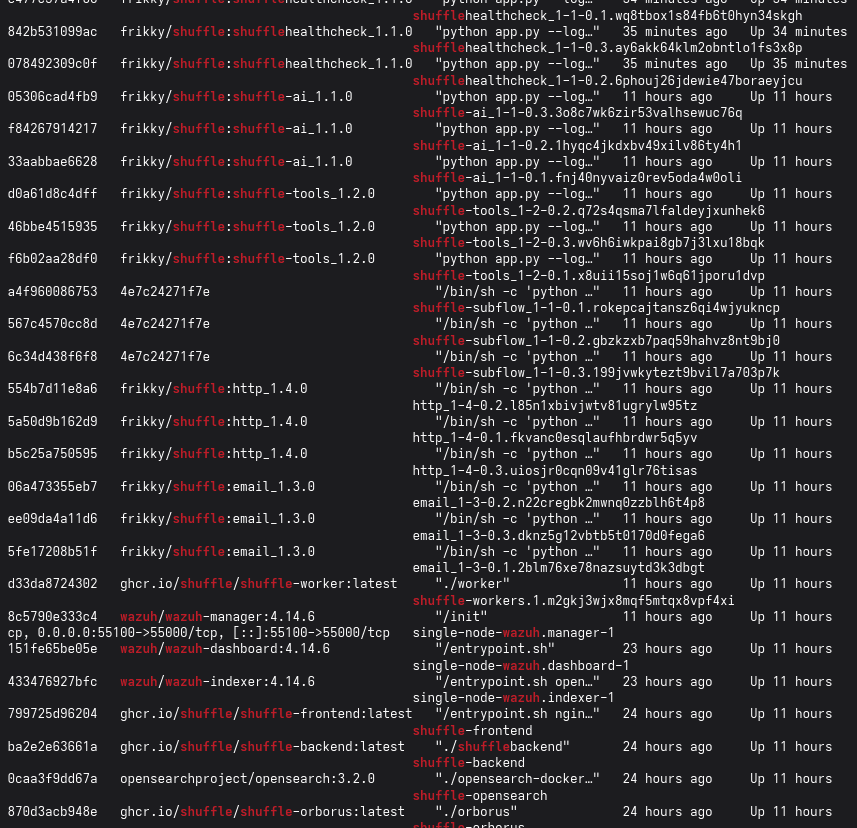
- Wazuh Manager 4.14.6 and Shuffle (backend, frontend, worker, orborus) run as Docker containers on a single Azure Standard B2s VM with Ubuntu Server 22.04. The Wazuh manager's integration block ships every alert at level 10 or above to Shuffle's webhook trigger.
- The Shuffle workflow has four stages: webhook trigger, field extraction (rule.id, rule.level), an IF condition on level > 9, then an email via Gmail SMTP, or a silent drop.
haadi@portfolio:~$ cat ossec.conf
<integration>
  <name>shuffle</name>
  <hook_url><SHUFFLE_WEBHOOK_URL></hook_url>
  <level>10</level>
  <alert_format>json</alert_format>
</integration>
What itproved
haadi@portfolio:~$ cat -n security-details.txt
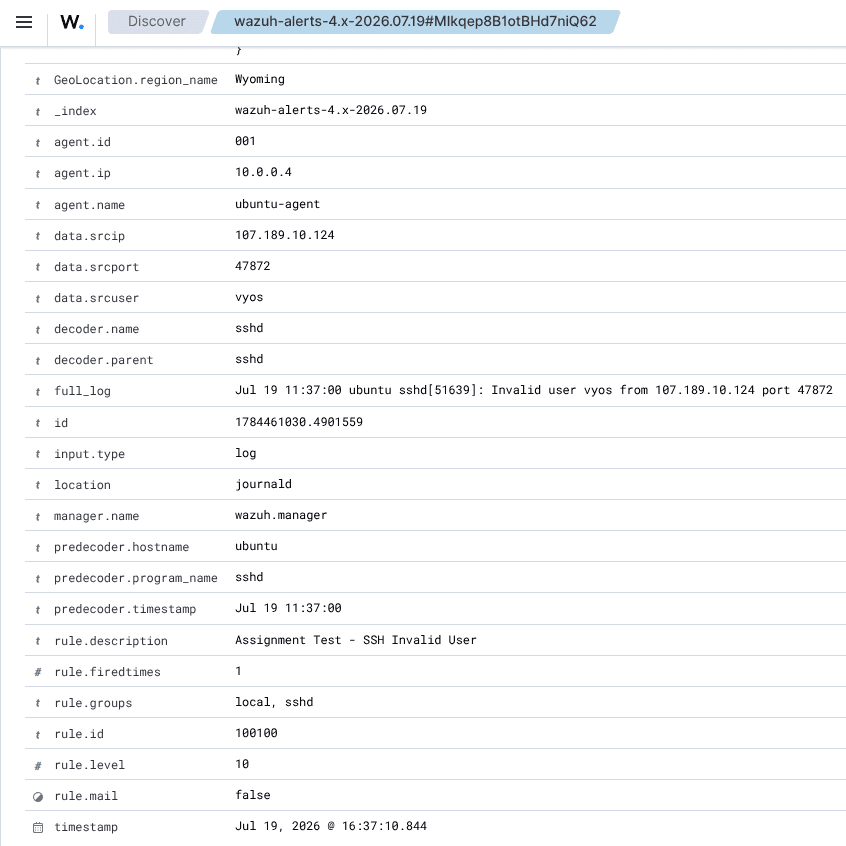
- The test alert, Rule 5710, SSH login with a non-existent user, defaults to level 5 and would never pass the threshold. Instead of lowering the threshold (too noisy for real use), a local override (ID 100100) raises that specific rule to level 10, mapped to T1110.001 and T1021.004.
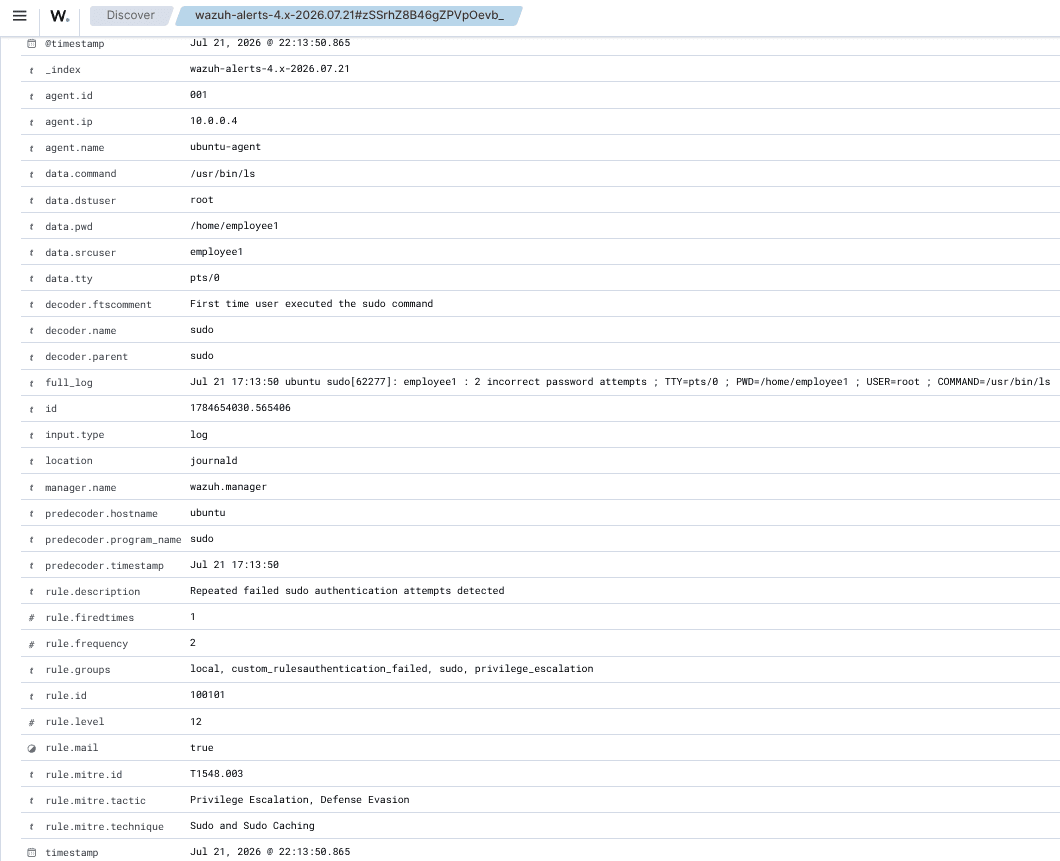
- I then wrote three rules for Linux privilege escalation that the default ruleset doesn't meaningfully cover, each tuned to the difference between normal mistakes and suspicious behaviour:
100101
Scenario
Repeated failed sudo authentication
Tuning
2 failures within 60s: catches brute force, not typos
Level
12
ATT&CK
T1548.003
100102
Scenario
User added to the sudo group
Tuning
Scoped to usermod -aG sudo, not any group change
Level
12
ATT&CK
T1098
100103
Scenario
Unauthorized user attempts sudo
Tuning
No frequency: suspicious on the first try
Level
11
ATT&CK
T1548.003
haadi@portfolio:~$ cat -n result.txt
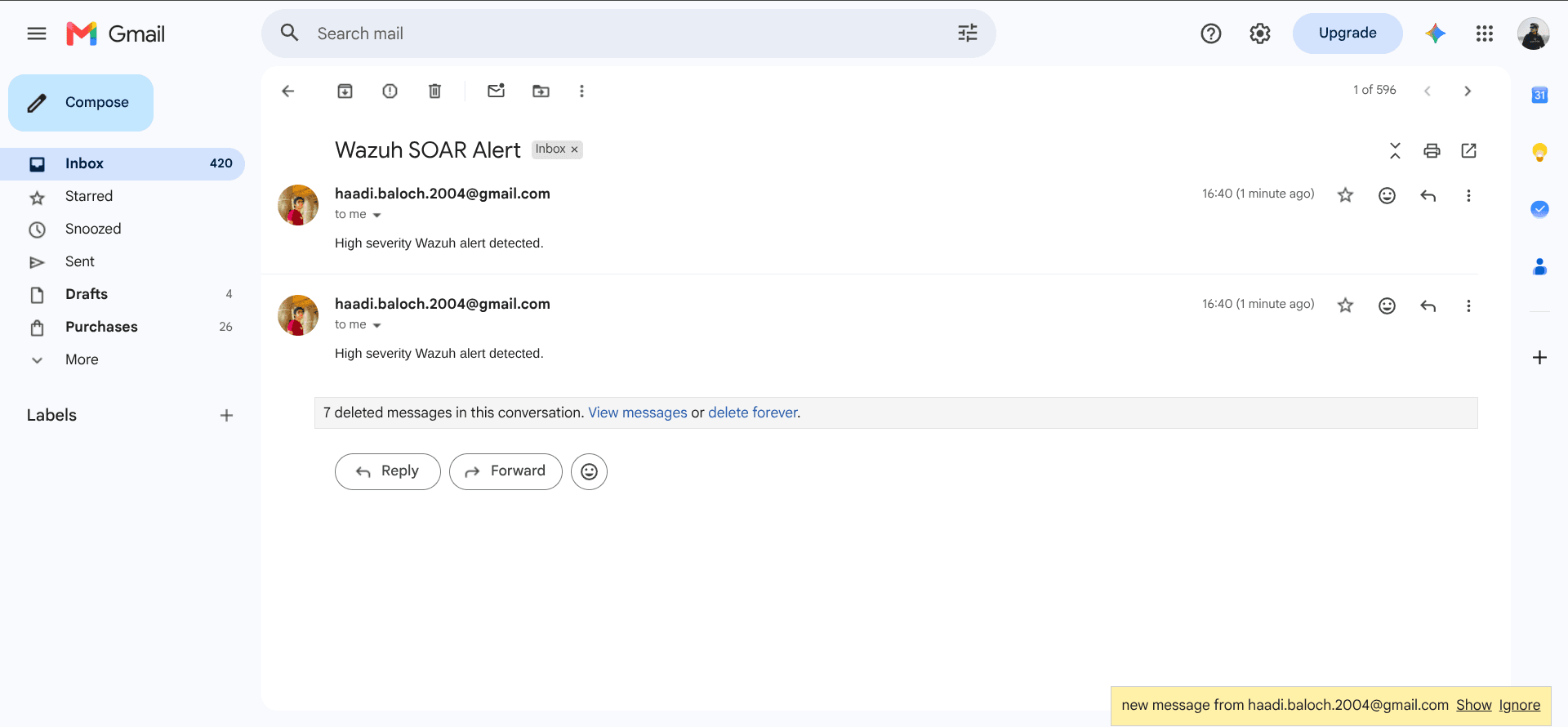
- An SSH attempt with an invalid user is detected, forwarded, evaluated and delivered to the inbox in about five seconds, with every workflow node executing successfully. Each custom rule was verified against a real simulated attack on a throwaway account.
- Two issues were worth the time: Gmail rejected SMTP credentials (535 5.7.8), isolated with a standalone Python smtplib test and fixed with an App Password, and rule 100102 initially didn't fire because the match checked a different field than the decoder populated, found by reading the raw decoded event.
- SSH attempt → email received
- ~5s
- SSH attempt → email received
- Pipeline checks passed
- 7 of 7
- Pipeline checks passed
- Custom privilege-escalation rules
- 3
- Custom privilege-escalation rules
Evidence fromthe lab
haadi@portfolio:~$ eog auto-02-rule-100101-alert.png
haadi@portfolio:~$ eog 04-rule-5710-alert-level-10.png
haadi@portfolio:~$ eog 06-ifelse-routing-condition.png
haadi@portfolio:~$ eog 07-email-notification-received.png
haadi@portfolio:~$ eog auto-01-agent-overview.png
haadi@portfolio:~$ eog 03-docker-containers-running.png
Stack &links
haadi@portfolio:~$ cat -n technologies-used.txt
haadi@portfolio:~$ cat -n links.txt
Next project